
An account executive needs to put together a quote for a client meeting. She asks M365 Copilot. It answers immediately, confidently, and with a document that appears accurate. (Spoiler alert: it’s not.) The quote goes out. The deal closes. Three weeks later, finance flags a margin gap, and it’s discovered that the document used a pricing model that was 24 months old.
Nothing about this failure involves Copilot malfunctioning. The content itself was outdated, and nothing had flagged it as such, so Copilot retrieved and returned it, exactly as designed. This is what a Copilot ROI problem looks like up close: a content environment that looked ready for Copilot and wasn’t.
How M365 Copilot Retrieves and Ranks Content
Copilot is built to surface the most relevant, accessible content it can find, and it does that job well. What it retrieves is only as trustworthy as what it’s given: content that’s current, correctly labeled, and appropriately permissioned. Copilot has no way to distinguish a well-governed file from a stale one unless the content itself makes that distinction, through labels, metadata, and permissions that reflect its current state.
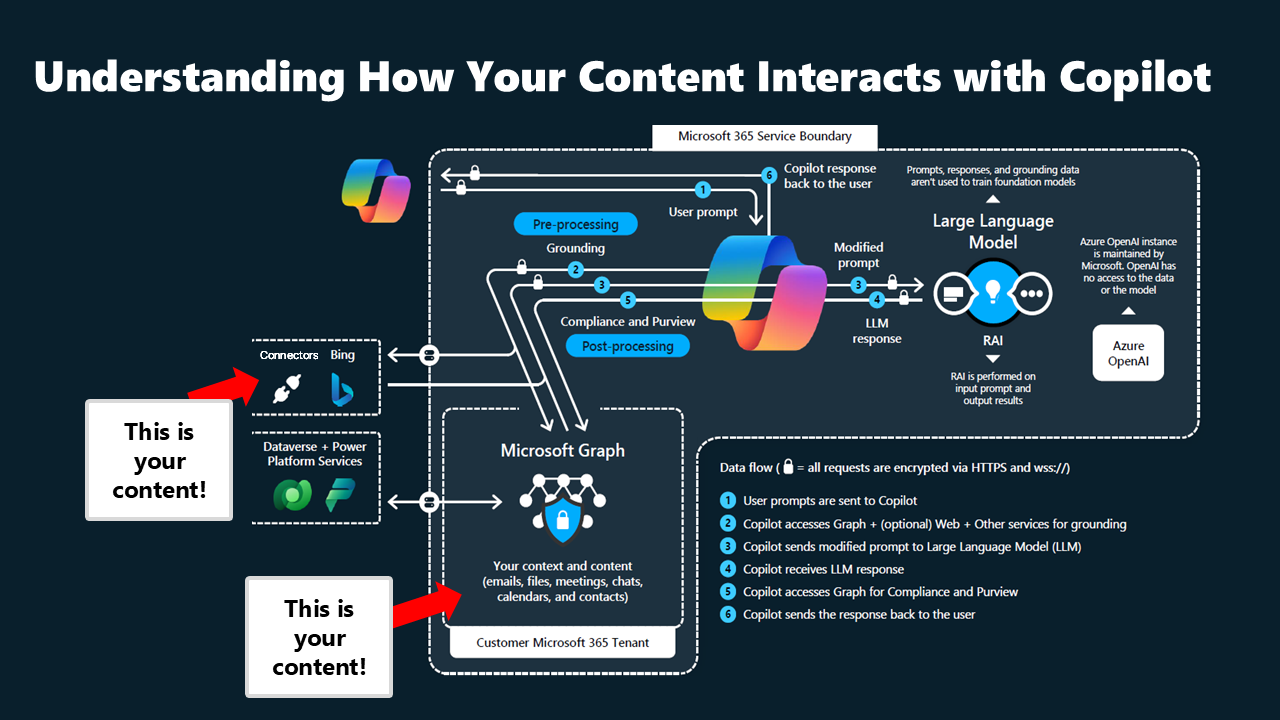
That’s what makes the pricing scenario possible in any organization, not just one with unusually poor governance. If an outdated file sits in a location the user can access, and nothing about that file indicates it’s outdated, Copilot retrieves it with the same confidence as it would for the correct version. The model is working correctly – the content underneath it isn’t.
4 Content Problems That Undermine Every Copilot Deployment
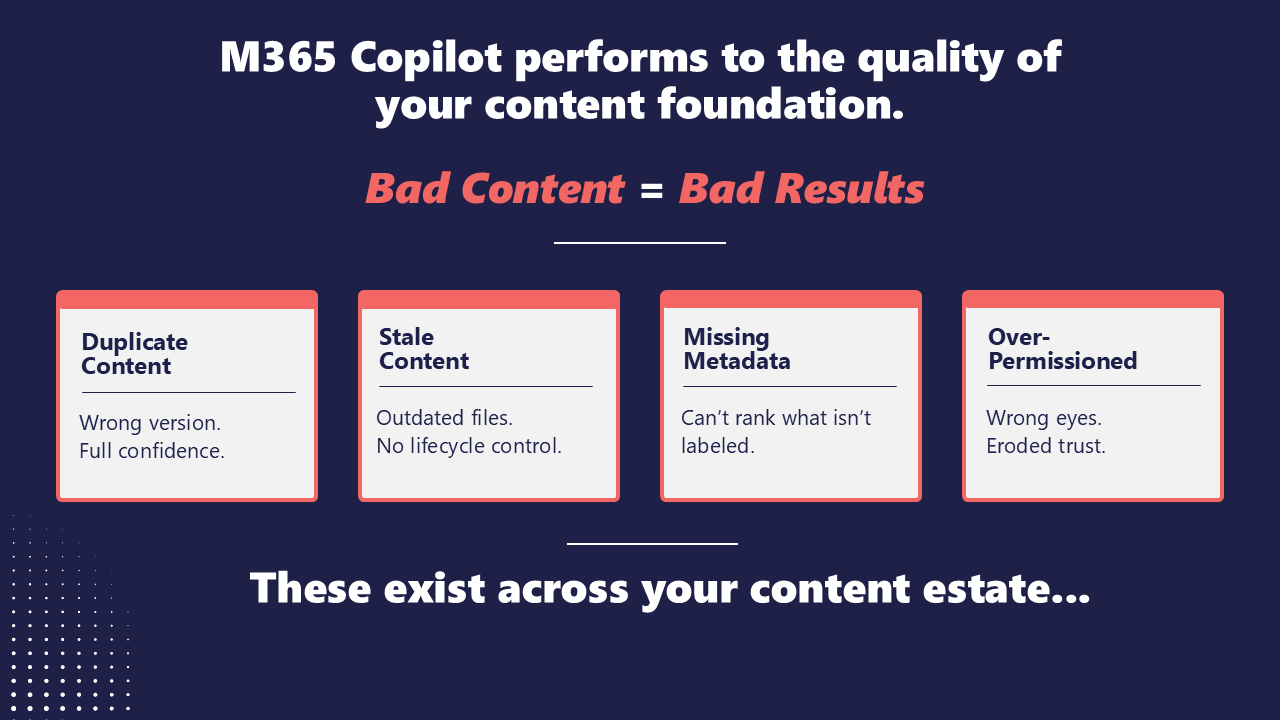
Across enterprise content estates, the same four problems show up repeatedly, and each one holds Copilot back from delivering what it’s capable of:
- Duplicate content (files with names like “final,” “final v2,” and “final final”) forces Copilot to guess which version is correct.
- Stale or redundant content that stays active long after it should have been retired gets surfaced with the same confidence as current material.
- Inconsistent metadata strips Copilot of the signals it would otherwise use to rank content accurately, so relevance becomes a guess rather than a calculation.
- Overexposed permissions or access that was granted once and never revisited can surface sensitive information to users who aren’t meant to see it.
Most organizations don’t discover these four conditions during their Copilot rollout. They discover them after adoption plateaus, after a costly mistake forces the question, or after leadership starts asking why the return on the AI investment isn’t materializing. Content governance is rarely planned as a prerequisite to an AI deployment. At best, it is often treated as a one-time cleanup project to run later.
3 Steps to Optimize M365 Copilot ROI
Not all four content issues carry equal weight, and trying to fix everything simultaneously is how governance projects stall. Fixing this doesn’t require a new deployment, a different license tier, or a multi-year overhaul. It requires a content governance framework built around three specific moves:
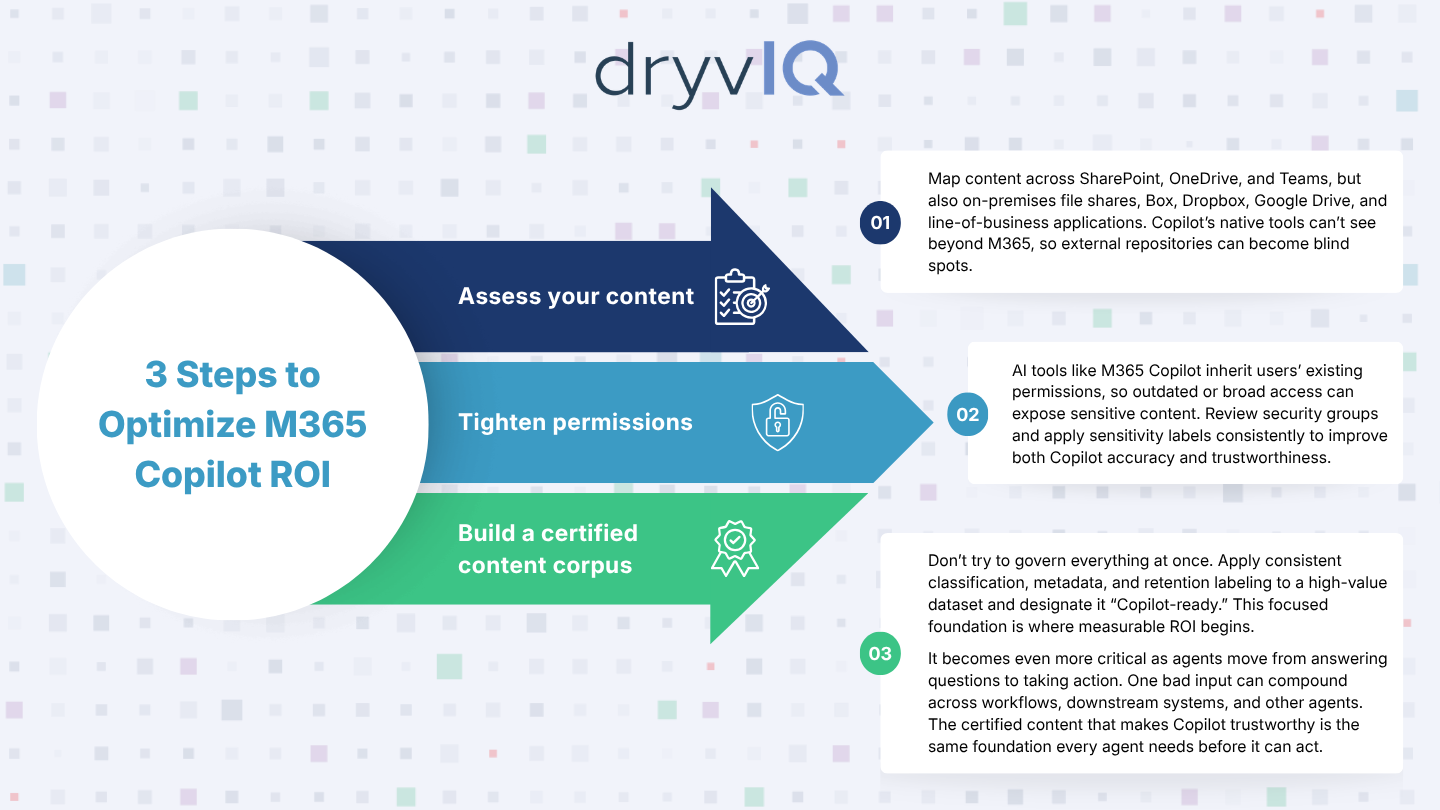
1) Start by assessing your content, beginning with your highest-value repositories.
Inventory what exists across SharePoint, OneDrive, and Teams, but don’t stop at the M365 boundary. Most enterprise content estates extend well beyond it, into on-premises file shares, other cloud platforms like Box, Dropbox, Google Drive, and line-of-business applications – and Copilot’s native tooling has no visibility into those repositories. Tools like Microsoft Purview’s DSPM assessments and SharePoint Advanced Management reporting are useful for the M365 portion of the estate, but content living outside it needs to be inventoried just as rigorously; otherwise, it becomes a blind spot. You cannot govern, classify, or clean up content you don’t know you have.
2) Next, tighten permissions and sensitivity labels.
Most AI tools, M365 Copilot included, inherit the permissions of the person prompting them, which means access granted once and never revisited is the quickest way for sensitive content to end up in front of the wrong audience. Reviewing broad security groups against least-privilege principles and applying sensitivity labels consistently are some of the most impactful changes an organization can make. It immediately improves both the accuracy and the trustworthiness of Copilot’s output.
3) Only then build a certified content corpus.
Don’t try to govern everything at once. Apply consistent classification, metadata enrichment, and retention labeling to a well-defined, high-value dataset, and designate that set as “Copilot-ready” first. That focused foundation is what measurable ROI gets built on.
This foundation matters even more as agents use this content to take action rather than just answer questions. A person who gets a wrong answer from Copilot can often catch the error before it causes damage. An agent acting autonomously on the same stale or ungoverned content is working quickly and with far fewer checks along the way. It executes the workflow regardless, and because agents operate at machine speed and often trigger downstream systems or other agents, one bad input doesn’t just produce one bad outcome. It compounds across every step the agent touches. The certified content corpus that makes Copilot trustworthy is the same foundation every Copilot-built agent needs before it’s given the ability to act.
3 Steps to Optimize M365 Copilot ROI Infographic
What Improves Once the Content Foundation Is Fixed
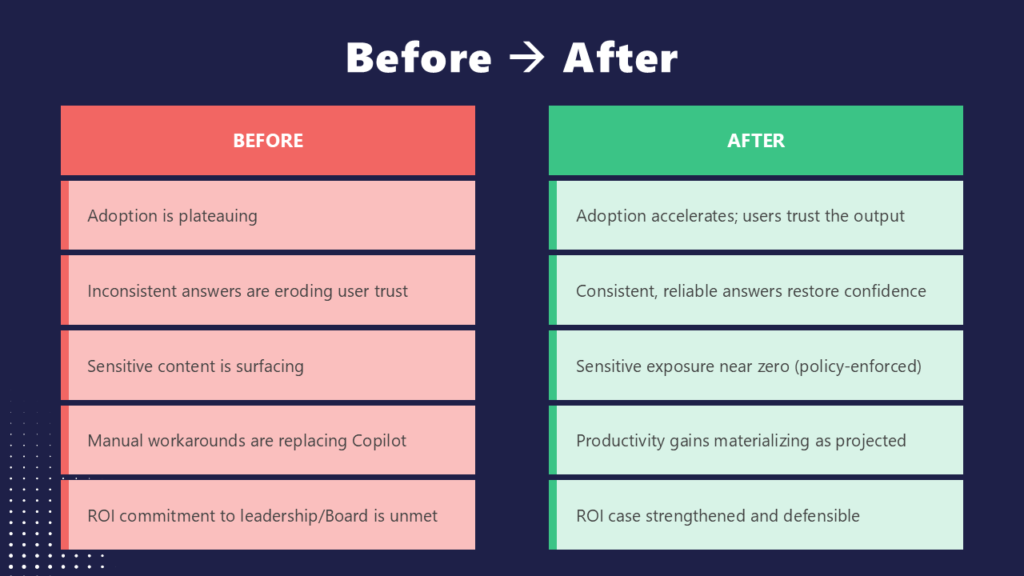
The gap between a stalled Copilot deployment and a successful one is visible in a small number of concrete shifts. Adoption that had plateaued starts climbing again once users stop encountering inconsistent answers. Sensitive content stops surfacing to the wrong audience once permissions and policy actually align. The ROI case that leadership was struggling to defend becomes a case leadership can stand behind.
The Content Foundation M365 Copilot Needs to Deliver ROI
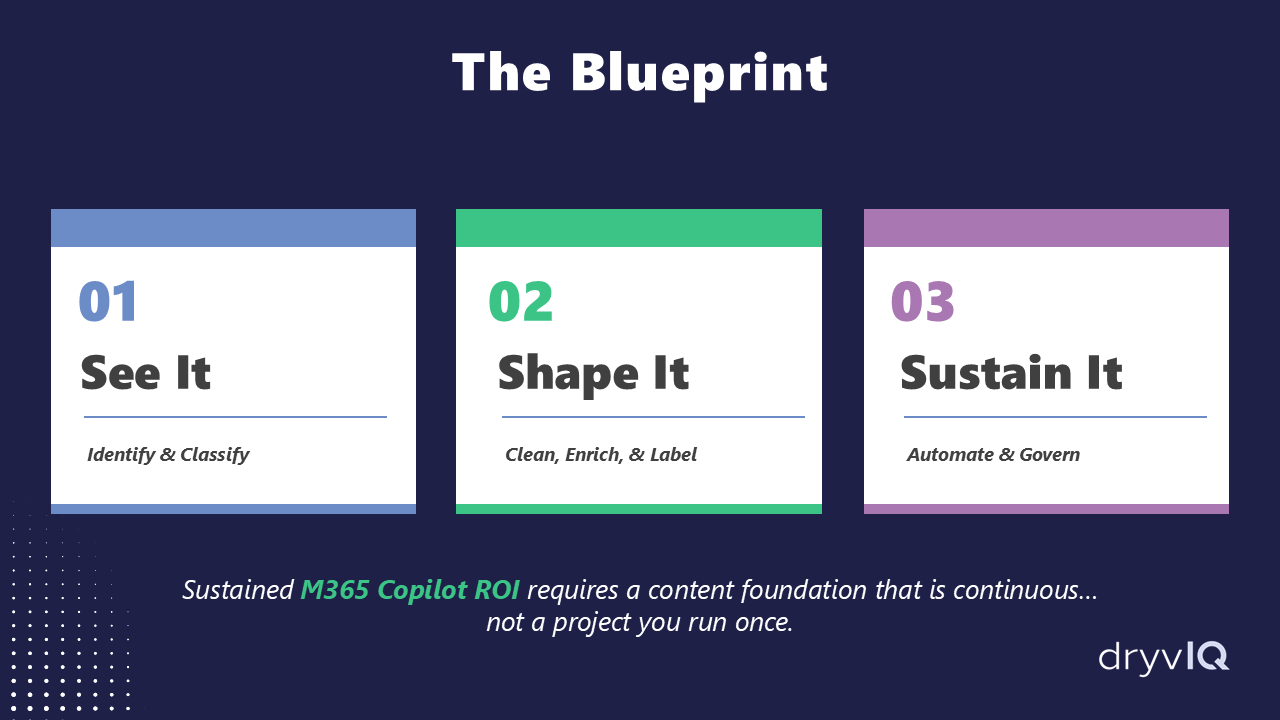
The three steps above get you started, but they’re part of a larger blueprint: identify and classify what you have, clean and label it, then automate governance so it stays that way as your content keeps growing. DryvIQ makes enterprise content understood, governed, and cleansed, continuously, so the AI investment already in place can finally deliver the return it was built for. This works alongside Microsoft 365 Copilot, not around it, closing the gaps native tools cannot reach on their own.
DryvIQ and Protiviti recently walked through this blueprint in full during a session titled “Why Copilot Projects Succeed or Fail: It Comes Down to Content.” Watch it on demand to see the complete framework.
Ready to see what your content looks like? Speak with a DryvIQ expert to get started with your assessment.